
Windows · Chat & Communication
ClickUp (official)
ClickUp: An all-in-one productivity platform that centralizes task management, project planning, and team collaboration.
Version 3.5.395 · by ClickUp
Official site: clickup.com
About ClickUp (official)
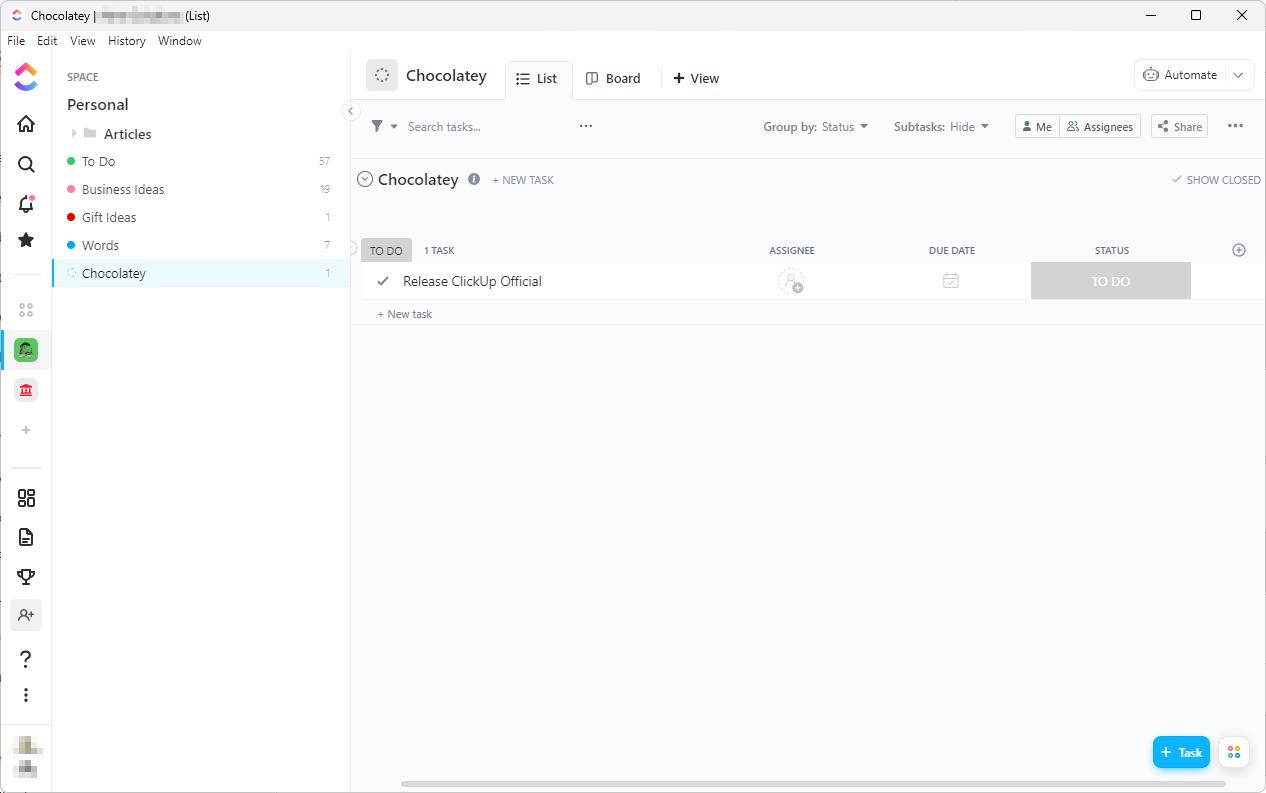
## Summary
ClickUp is an all-in-one productivity platform designed to consolidate and streamline your workflow. With an impressive array of functionalities housed in a user-friendly interface, ClickUp serves as a comprehensive solution for task management, project planning, and team collaboration.
## Features
- **Task Management:** With ClickUp, manage your tasks effectively and keep track of all your projects. From simple to-do lists to complex workflows, ClickUp has got you covered.
- **Project Planning:** Use Gantt charts, Kanban boards, or a simple list view to see the big picture of your projects. Easily assign tasks, set deadlines, and monitor progress.
- **Team Collaboration:** ClickUp is not just a task manager, it's a platform for collaboration. Share documents, chat with team members, set up meetings, and collaborate in real time.
- **Multiple Views:** Catering to individual preferences, ClickUp supports multiple views such as list, board, box, and more. Each member can choose the view they find the most comfortable to work with.
- **Integration:** ClickUp offers integration with a multitude of other services like Google Drive, Dropbox, Slack, and more. This means you can centralize your work even if it's spread across different platforms.
- **Customizability:** From custom statuses to custom fields, ClickUp is fully adaptable to your team's needs and your project's requirements.
## Notes
The ClickUp executable that is downloaded upon package installation uses the same URL for each version. That means that when ClickUp releases a new version, it breaks the checksum since the file is different. Because the EULA does not allow for distribution, the executable cannot be included in the package. Therefore, this package will break.
The package maintainer has a monitor that detects when the ClickUp version changes, and updates are usually released in a day or two following an update. However, approval times for Chocolatey packages can vary, so you may see a checksum error on this package when an update occurs.
**Workarounds:**
- Look under [Version History](https://community.chocolatey.org/packages/ClickUp-Official#versionhistory) and install the latest version with the `--version VERSION_NUMBER` argument.
- Use the `--ignore-checksum` argument to install the latest approved version (ignore checksum not generally recommended).
- Wait for the latest version to be approved.
How to install ClickUp (official)
- Click Download — the developer's official website opens in a new tab.
- Download the latest version there and run it. Choose Custom/Advanced where offered, and skip any bundled extras.
- Prefer the command line? With Chocolatey you can install and update it with: choco install clickup-official
- Open ClickUp (official) once it finishes installing.
Frequently asked questions
Is ClickUp (official) free to download?
Yes. The Download button sends you to clickup.com, the developer's official site, where ClickUp (official) is available to download. Grabware doesn't host or modify any files.
What is the latest version of ClickUp (official)?
The version listed here is 3.5.395, published /Date(1792. The developer's site always has the newest release.
How do I install ClickUp (official) from the command line?
With Chocolatey, run: choco install clickup-official. This installs it from the official source and keeps it updated.
Is ClickUp (official) safe?
ClickUp (official) downloads directly from the developer. As always, scan the installer with your antivirus and choose Custom setup to skip any bundled extras.
Alternatives to ClickUp (official)
More Zoom Client for MeetingsZoom unifies cloud video conferencing, simple online meetings, group messaging, and a software-defined conference room solution into one easy-to-use platform.
 Microsoft Teams Classic Desktop App (Machine-Wide Install)Microsoft Teams helps your team work better together. It's one app that brings your team's conversations, meetings, files and notes together into a single place…
 Notepad++Notepad++ is a free (as in "free speech" and also as in "free beer") source code editor and Notepad replacement that supports several languages.Microsoft Teams Classic Desktop AppMicrosoft Teams helps your team work better together. It's one app that brings your team's conversations, meetings, files and notes together into a single place…
 WinRARA powerful archive manager
 Slack for WindowsSlack for Windows
 Adobe Shockwave Player (Final Version - EOL)Displays Web content that has been created by Adobe Director
 SkypeSkype - VOIP