
Windows · Developer Tools
SQLite Analyzer
A simple command-line utility for analyzing SQLite database space usage
Version 3.54.1 · by D. Richard Hipp, SQLite contributors
Official site: sqlite.org
About SQLite Analyzer
SQLite Analyzer is a command-line utility program that measures and displays how much and how efficiently space is used
by individual tables and indexes with an SQLite database file.
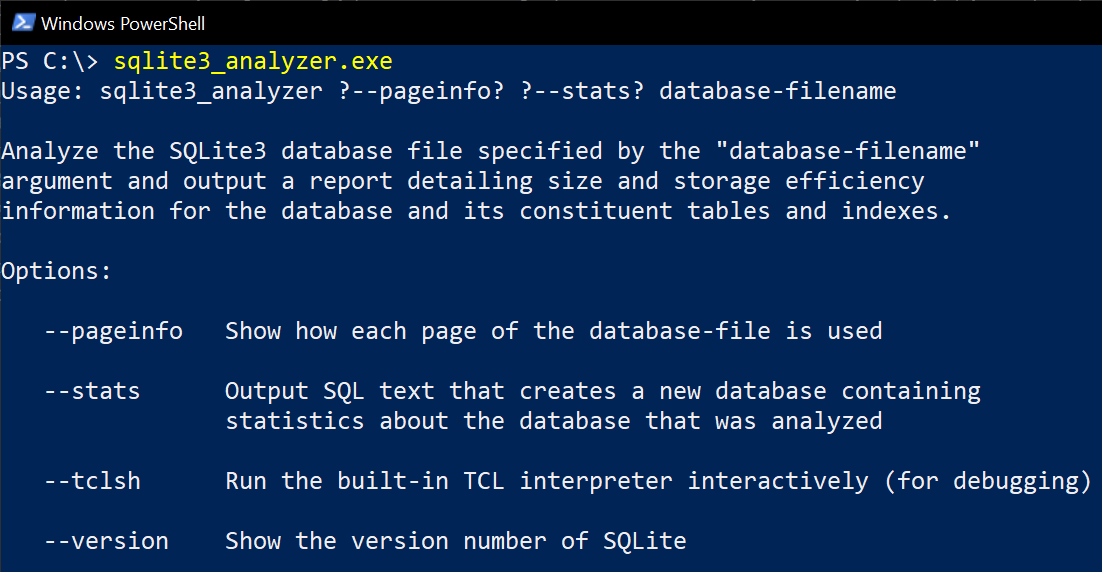
The `sqlite3_analyzer.exe` binary is a command-line utility program that measures and displays how much and how
efficiently space is used by individual tables and indexes with an SQLite database file. Example usage:
```posh
sqlite3_analyzer database.sqlite
```
The output is a human-readable ASCII text report that provides information on the space utilization of the database
file. The report is intended to be self-explanatory, though there is some additional explanation of the various
parameters reported toward the end of the report.
The output is also valid SQL. Most of the report text is contained within a header comment, with various SQL statements
that create and initialize a database at the end of the report.
The constructed database contains the raw data from which the report was extracted. Hence the original report can be
read into an instance of the command-line shell and then the raw data can be queried to dig deeper into the space
utilization of a particular database file.
## Notes
* The `sqlite3_analyzer.exe` program is a [TCL](http://www.tcl.tk/) program that uses the [dbstat virtual table](https://www.sqlite.org/dbstat.html)
to gather information about the database file and then format that information neatly.
* Current versions of sqlite analyzer provide 64-bit support only - for a 32-bit version use [sqlite.analyzer 3.43.2](https://chocolatey.org/packages/sqlite.analyzer/3.43.2).
How to install SQLite Analyzer
- Click Download — the developer's official website opens in a new tab.
- Download the latest version there and run it. Choose Custom/Advanced where offered, and skip any bundled extras.
- Prefer the command line? With Chocolatey you can install and update it with: choco install sqlite-analyzer
- Open SQLite Analyzer once it finishes installing.
Frequently asked questions
Is SQLite Analyzer free to download?
Yes. The Download button sends you to sqlite.org, the developer's official site, where SQLite Analyzer is available to download. Grabware doesn't host or modify any files.
What is the latest version of SQLite Analyzer?
The version listed here is 3.54.1, published /Date(1792. The developer's site always has the newest release.
How do I install SQLite Analyzer from the command line?
With Chocolatey, run: choco install sqlite-analyzer. This installs it from the official source and keeps it updated.
Is SQLite Analyzer safe?
SQLite Analyzer downloads directly from the developer. As always, scan the installer with your antivirus and choose Custom setup to skip any bundled extras.
Alternatives to SQLite Analyzer
More Adobe Acrobat Reader DCView, print, sign, and annotate PDF files.
 Google ChromeChrome is a fast, simple, and secure web browser, built for the modern web.
### Notes
- This package uses Chrome's administrative MSI installer and installs…
Google ChromeChrome is a fast, simple, and secure web browser, built for the modern web.
### Notes
- This package uses Chrome's administrative MSI installer and installs… ChocolateyChocolatey is the package manager for Windows (like apt-get but for Windows)Chocolatey Core ExtensionsHelper functions extending core choco functionality
 March 2014 servicing stack update for Windows 8.1 and Windows Server 2012 R2 (KB2919442)The update fixes some issues in the servicing stack of Windows 8.1 and Windows Server 2012 R2.Chocolatey Compatibility ExtensionExtension package to provide compatibility with older versions of Chocolatey
 Microsoft Visual C++ Redistributable for Visual Studio 2015-2026Run-time components that are required to run C++ applications that are built by using Visual Studio 2015-2026Update for Universal C Runtime in Windows (KB2999226)Update for Universal C Runtime (CRT) in Windows. Before you install this update, check out the prerequisites section.